


Add a HIPAA-compliant contact form to your Squarespace website
Protect your practice and avoid HIPAA violations by adding a secure, HIPAA-compliant contact form to your website in three simple steps.
-
Integrates seamlessly with your website
-
Built to support your HIPAA compliance
-
Includes a signed BAA
Squarespace® is a registered trademark of Squarespace, Inc. Hushmail is not affiliated with or endorsed by Squarespace.
47,000+ healthcare professionals use Hushmail to communicate with clients and coordinate care securely
Is Squarespace HIPAA-compliant?
Squarespace is a great platform for creating a stunning practice website.
But unfortunately—Squarespace makes it very clear—their contact forms are not HIPAA-compliant and shouldn't be used to collect Protected Health Information (PHI).
The good news is that Hushmail makes it easy to add a HIPAA-compliant contact form to your website in three simple steps.
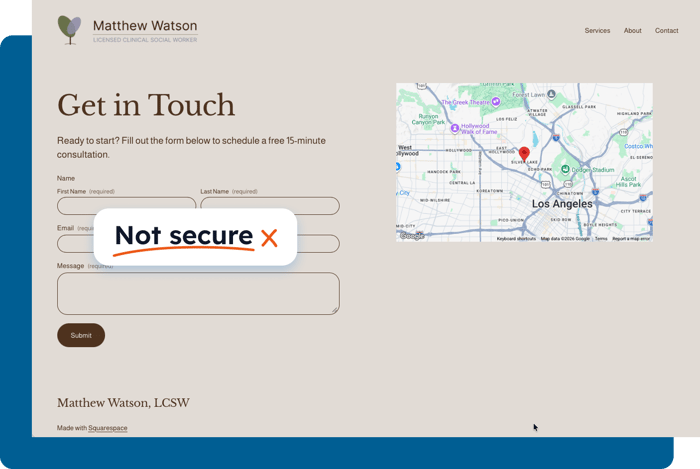
How to add a HIPAA-compliant contact form to your Squarespace website
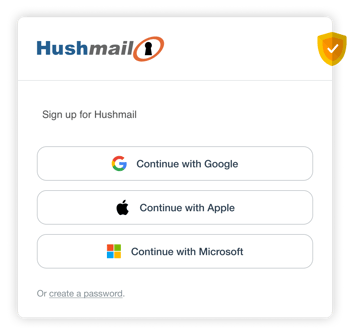
Sign up for Hushmail
Start your 14-day free trial of Hushmail to create your secure contact form.
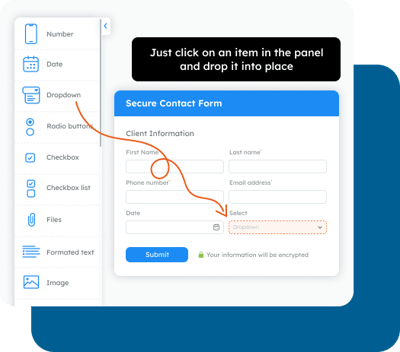
Customize the secure contact form template
Head to the Forms section inside Hushmail. Use our simple drag-and-drop form builder to customize the template to suit your website and needs.
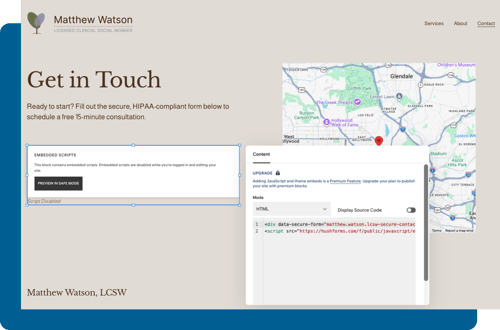
Add your secure contact form to your website
Once you've finished editing your form, grab the unique embed code and drop it into your Squarespace website.
“Provide patients the peace of mind that their information is secure”
In addition to providing the email needs that are required for HIPAA compliance, they also provide easy-to-embed forms like Appointment Requests and Review of Systems ... Not only are the forms HIPAA-compliant but they also provide patients the peace of mind that their information is secure.
Kevin L. Gee
OD, FAAO, Missouri, TX
All submissions are encrypted and confidential
When you use Hush Secure Forms, every form submission is automatically encrypted to give you (and your clients) peace of mind that sensitive information is safe and secure.
-
Built to support your HIPAA compliance
- Includes a signed BAA

Need help with web forms?
Hushmail isn't a faceless software product. For the past 25 years, we've helped countless healthcare practices streamline their practice and support their HIPAA compliance.
If you need help getting started, creating web forms, or have questions about HIPAA compliance, our team is on hand to help.


An outstanding Hushmail Staff Member
Streamline every step of your client's journey
Forms are a necessary part of your clients journey with you. Hushmail lets you ditch the paperwork and keep your practice moving forward.

Secure file transfer forms that protect sensitive documents

Contact forms that start a conversation of trust

Assessment forms that calculate scores

Intake forms that are easy for your client to fill out
Use these forms (and many others) in your practice, and make any form e-signable:
- Client intake forms
- Consent agreements
- Self administered health questionnaires (PHQ-9, GAD-7, & more)
- Secure file transfer forms
- Client referral forms
- Insurance information
- Appointment request forms
- Client feedback surveys
- Good Faith Estimates
Explore the growing form template library with 27+ templates designed specifically for healthcare. Use templates as is or customize them.
Make it easy to complete key paperwork before the first session
With Hush Secure Forms, you can easily create e-signable versions of intake paperwork and consent agreements, and add a way to request, sign, and complete them directly from your website.
Don't have time to create web forms?
When you sign up for Hushmail, you can use our optional form-building service to have our team turn your existing paperwork into secure web forms for you.
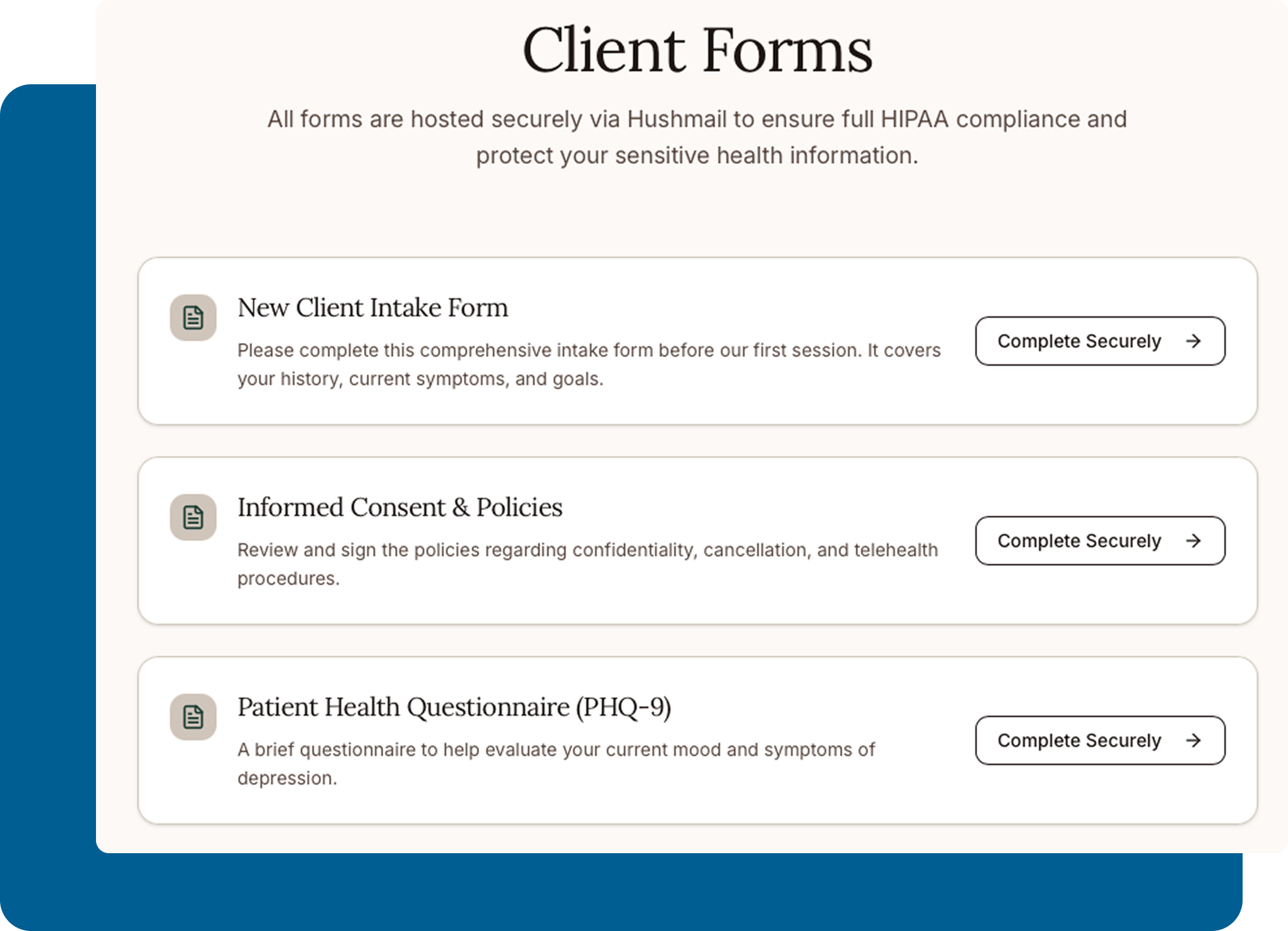
When it comes to HIPAA-compliant forms, all you need is Hushmail
- Create a form for every step of your client journey
- Make any form e-signable (intake paperwork, consent agreements, and more)
- Add forms to your existing Squarespace website
- Continue the conversation securely with those who fill out your forms via Hushmail
Not sure if Hushmail is right for you? Start a 14-day free trial, add a secure contact form to your website, and see what you think.
Small healthcare practices love Hushmail’s Customer Care and affordable price point
I love it that it is an affordable…
I love it that it is an affordable option for HIPAA-compliant email, of all of the different companies I have sought this for, this is by far the most reasonable price and the best option for a starting/small business. Please check them out; they are very friendly and it is well-worth the value and the peace of mind!
Fast - secure - and well supported
Hushmail for Healthcare is a high value service that is affordable. We are able to use it for encrypted HIPAA compliant web forms and email with PDF attachments included so practitioners can upload docs right to EHR.
The features are no nonsense, but easy to use. The included form builder is robust with plenty of input types - including signature processing. At first I balked at the per-form fees but honestly, their pricing is the best in the space.
If you still have questions, you're not alone. We're here to help.
-
Yes, we know it’s not easy choosing the right technology for your practice or clinic.
That’s why, you can try Hushmail for Healthcare free for 14 days. And remember, as soon as you get started with Hushmail, you can rely on our team of experts to help you get set up and show you how to get the most out of Hushmail.
-
No. While the native contact form blocks provided by Squarespace are great, sadly, they don't meet the data-handling requirements outlined by the HIPAA Security Rule. Using them to collect any Protected Health Information (PHI), even basic contact details from potential clients, puts your practice at risk of a HIPAA violation.
To collect client information securely, you must use a third-party solution, such as Hushmail's secure contact form template, designed to support your HIPAA compliance and integrate seamlessly with your Squarespace website. -
Outside of their Acuity Scheduling add-on, no. Squarespace is not a HIPAA-compliant platform and will not sign a Business Associate Agreement (BAA) for its general website builder. However, you can still use Squarespace to create a beautiful practice website. You just have to ensure that no client data is ever collected or stored on their servers.
-
Under HIPAA, if a third party creates, receives, maintains, or transmits Protected Health Information (PHI) on your behalf, they are considered a Business Associate. And HIPAA requires Business Associates to sign a Business Associate Agreement (BAA) with you. In this agreement, the company handling PHI on your behalf should explain:
-
How PHI will be protected
-
Each party's responsibilities
-
What happens in the event of a breach
Every Hushmail for Healthcare plan includes a signed Business Associate Agreement (BAA).
Do you need a BAA agreement? Learn more in our deep dive here.
-
-
Yes.
Every Hushmail for Healthcare plan includes a signed Business Associate Agreement (BAA).
If you still have questions, you're not alone. We're here to help.
-
Yes, we know it’s not easy choosing the right technology for your practice or clinic.
That’s why, you can try Hushmail for Healthcare free for 14 days. And remember, as soon as you get started with Hushmail, you can rely on our team of experts to help you get set up and show you how to get the most out of Hushmail.
-
Yes. The information submitted through your web forms is encrypted with the same TLS and OpenPGP encryption used by Hushmail email.
-
Yes. You can use Hush™ Secure Forms without switching your email provider or setting up a traditional Hushmail email account.
You can send and receive secure forms, including intake and consent forms, using your existing email address. Form submissions and secure messages are kept together in a single secure location to support HIPAA-compliant communication.
Learn more or Get started -
Yes! For only $25 per form, Customer Care will build your secure web forms exactly the way you want them. Our done-for-you form building service is perfect if you’re busy launching your practice or going through a big transition.
How it works:
- You give us the form(s) you’re currently using in your practice.
- You get a dedicated Customer Care rep to oversee the service and answer questions.
- You end up with custom secure web forms that are easy for your clients to fill out.
If you’re already a Hushmail customer, get started by sending a quick message to Customer Care.